
Search inside documents (full-text search) Pro
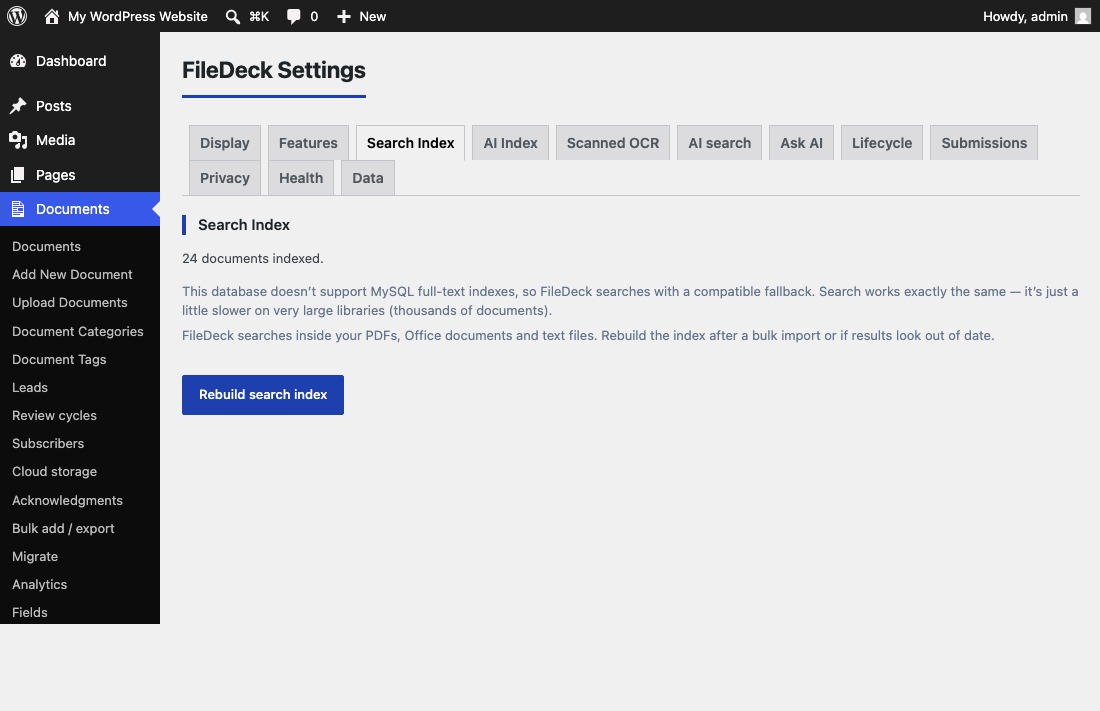
FileDeck searches inside PDFs, Office and OpenDocument files, and text files on your own server. Check index status and rebuild at Documents → Settings → Search Index.
Updated September 26, 2026
FileDeck searches inside your documents, not just their titles. It reads the text layer of PDFs, Microsoft Office and OpenDocument files, and text files on your own server — nothing leaves your site. When a visitor types in a library’s search box, matches found inside file contents appear alongside title matches.
FileDeck Pro — this feature is included in all Pro plans. See pricing
How does full-text search work?
FileDeck extracts the text layer from each document’s file and stores it in a search index on your server. The whole process runs locally — document contents are never sent anywhere.
Once a document is indexed, its contents are part of instant search. As a visitor types, the library filters live and shows a running count (for example, "8 / 61"), and documents match even when the search term only appears inside the file, not in the title.
Where do I manage the search index?
- Go to Documents → Settings → Search Index.
- Check the status line — it shows how many documents are indexed, for example "66 documents indexed."
- Click Rebuild search index to index everything from scratch.
When should I rebuild the index?
Rebuild the index after a bulk import, or whenever search results look out of date. Typical cases:
- You added many documents at once through Bulk add / export or Migrate.
- A document’s file was replaced but old content still matches in search.
- A document you expect to match is missing from results.
Why don’t scanned PDFs show up in results?
Scanned or photographed PDFs are images of pages — they have no text layer for FileDeck to read, so full-text search cannot see inside them. To make them searchable, enable OCR. See Make scanned PDFs searchable with OCR. Once OCR is enabled, scans you publish are sent automatically, and the ones already in your library or brought in by an import are sent from the Documents → Settings → Search Index screen.
FAQ
Does my document text leave my server?
No. Full-text search reads the text layer of your files and stores the index entirely on your own server. The only exception is optional OCR for scanned PDFs, which you have to enable separately.
Which file types does FileDeck search inside?
- PDF — the text layer. Scanned PDFs need OCR.
- Microsoft Office —
.docx,.xlsx,.pptx. - OpenDocument —
.odt,.ods,.odp(LibreOffice, OpenOffice). - Text —
.txt,.md,.csv,.log,.html,.xml.
Other file types still match by title, excerpt, categories, tags, and filename.
Older Office formats (.doc, .xls, .ppt) are not read — they are a binary format with no reliable pure-PHP reader. Re-saving them in the modern format makes them searchable.
A document isn’t matching — what should I check first?
Go to Documents → Settings → Search Index and click Rebuild search index. If the document is a scanned PDF, it needs OCR. For other cases, see Troubleshooting search.
Still stuck? Email support@getfiledeck.com.