
Capture leads before download Pro
Require name and email before FileDeck downloads with one Features toggle — leads stored under Documents → Audience → Leads with CSV export and a JSON webhook.
Updated September 27, 2026
FileDeck Pro can ask visitors for their name and email before a download starts, turning popular documents — whitepapers, guides, price lists — into a source of leads. Enable it with the Require name & email before download toggle under Documents → Settings → Features; every captured lead is stored under Documents → Audience → Leads, ready for CSV export or delivery to a webhook.
FileDeck Pro — this feature is included in all Pro plans. See pricing
Turn on lead capture
- Go to Documents → Settings → Features.
- Enable Require name & email before download.
- Save. Downloads now show the lead form before the file is served.
The form covers every Download button on your pages, restricted documents included: a signed-in member leaves their details once and then gets the file. Share links you create (single-use links and transmittals) skip it, because you already chose who gets the file.
Where your leads live
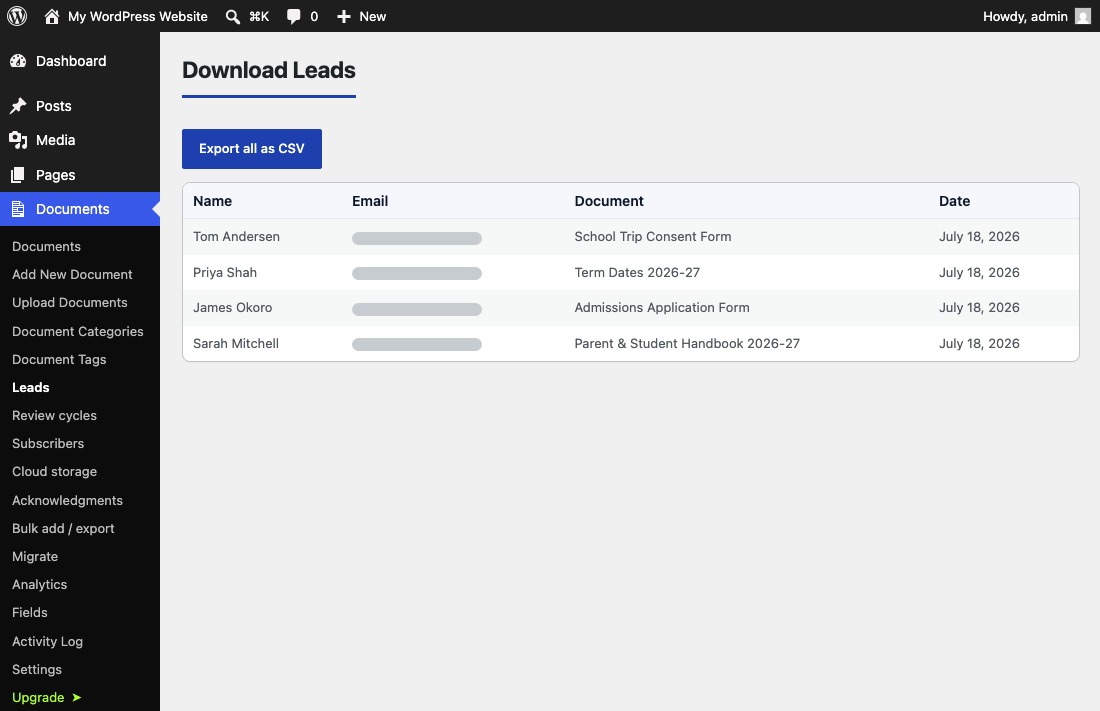
Go to Documents → Audience → Leads in wp-admin. Each captured lead is a row with four columns: Name, Email, Document, and Date — so you can see not just who signed up but which document earned the signup. Click Export all as CSV whenever you want to work with the list in a spreadsheet.
Send each lead to a webhook
You do not have to check the Leads screen to act on new signups. On the same Features tab, set the optional Lead webhook URL, and each captured lead is POSTed to it as JSON — name, email, document, and timestamp. Point it at a Zapier hook, your CRM’s incoming webhook, or a custom endpoint, and new leads flow into your existing tools automatically. The URL must be https.
Privacy considerations
Lead capture collects personal data (names and email addresses), so mention it in your site’s privacy policy and follow the consent rules that apply in your jurisdiction. Keep the data you collect proportionate: name and email is usually all you need.
FAQ
Can I send leads straight to my email marketing tool?
Yes. Point the Lead webhook at any https endpoint that accepts incoming webhooks and each new lead is delivered there as JSON automatically. CSV export is also available.
What exactly does the webhook send?
One JSON POST per captured lead, containing the visitor’s name, email, the document they downloaded, and a timestamp.
Can I gate just one category of documents?
No — lead capture is a single site-wide toggle. When it is on, downloads across your libraries show the form.
Do I need to update my privacy policy?
You should. You are collecting names and email addresses, so disclose it in your privacy policy and follow your local consent requirements.
Still stuck? Email support@getfiledeck.com.