
Grid layout Free & Pro
FileDeck's grid layout shows documents as cards with featured images — ideal for newsletters and visual libraries. Card fields and stacking.
Updated July 23, 2026
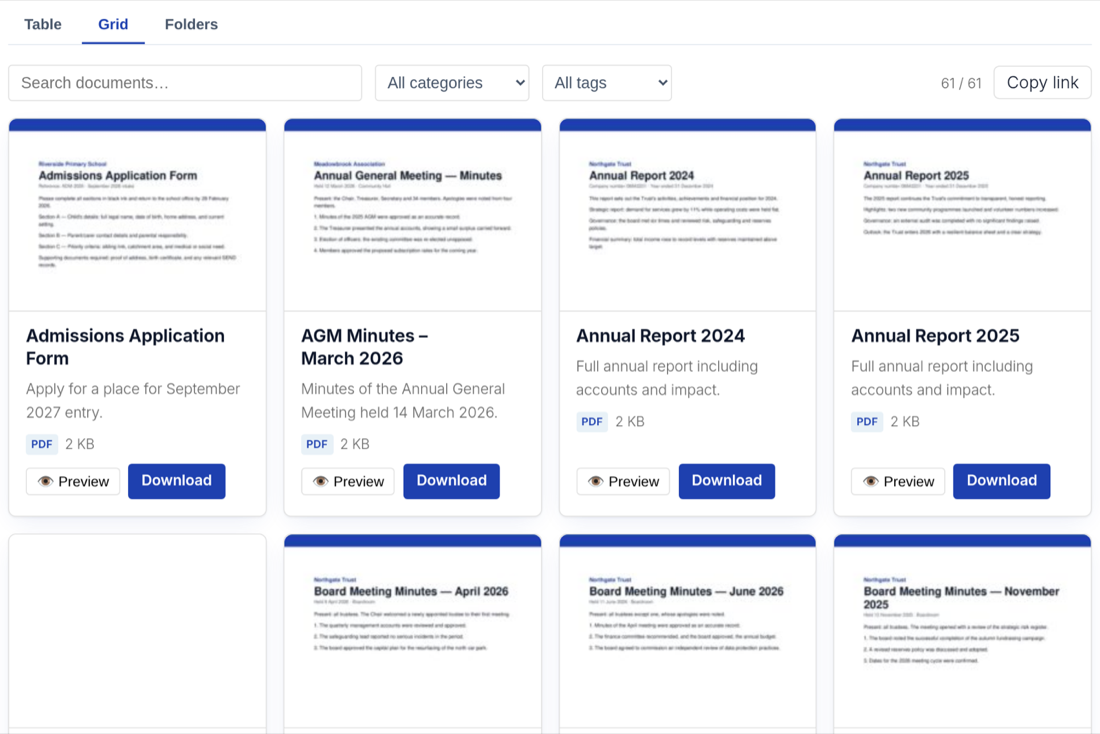
The grid layout displays each document as a card, with the document’s featured image at the top and its details beneath. It is the right choice when documents are recognized visually — newsletters, brochures, magazines, lookbooks, media kits — rather than scanned by metadata in a table.
When to use the grid layout
Use the grid when a picture of the document sells the click: a newsletter archive where each issue has a cover image, a brochure library, a collection of one-page flyers. If your documents have no featured images, or visitors need to compare dates and file sizes across many files, the table layout is usually the better fit.
How columns render on cards
The grid uses the same columns setting as the other layouts, but instead of table columns, each selected field becomes part of the card:
imagerenders as the card’s featured image. Set a featured image on each document when you add it; documents without one still get a card, just without the picture.titlebecomes the card heading.- Fields like
excerpt,date,categories,size, andtypeappear as card text and metadata below the heading. linkrenders the download link on the card, in whichever button, icon, or text style you have chosen — see choose and reorder columns.
Cards have limited room, so pick fewer fields than you would for a table. image, title, excerpt, date, link is a well-balanced set.
Responsive behavior
The grid shows multiple cards per row on wide screens and automatically reduces the number of cards per row as the screen narrows, stacking to a single column on phones. Nothing scrolls sideways and no fields are hidden — cards simply reflow.
Example shortcode
[filedeck layout="grid" columns="image,title,excerpt,date,link" category="newsletters" per_page="12" sort_by="date"]
This renders the newsletters category as a card grid, newest issues first, twelve cards per page. The same setup is available visually in the Document Library block with a live preview.
FAQ
Where does the card image come from?
From the document’s featured image, exactly like a post thumbnail. Set it in the document’s editor screen under Documents → All Documents.
Do search and filters work in the grid layout?
Yes. Instant search, the multi-select category and tag filters, and pagination all work the same in every layout. Sorting by clicking column headers is specific to the table, but the sort_by and sort_order attributes still control the grid’s order.
What happens to a document with no featured image?
It still appears as a card with its title, text fields, and download link — only the image area is absent. For a consistent look, give every document in a grid library a featured image.
Still stuck? Email support@getfiledeck.com.